
SaSummary: Senior Safety Home Upgrades. In 2026, “aging in place” is a calculated financial strategy to avoid the $6,500/month overhead of assisted living. We analyze the top 10 technologies—from mmWave fall detection to automated medication management—that prevent the catastrophic “liquidation events” caused by falls or fires. This guide provides 2026 labor rates, hardware costs, and the technical hurdles of integrating AI-driven safety into older properties.
Note: Local labor rates for Smart Home Installations change constantly. See our full regional cost table below.
Introduction (Senior Safety Home Upgrades)
I’ve spent 23 years in the trenches of real estate—flipping 100+ properties and consulting for hundreds of homeowners over 60. I’ve seen a single $500 bathroom fall liquidate a $400,000 retirement portfolio in less than six months. In 2026, the national median cost for assisted living has hit a staggering $5,419 per month ($65,028/year), and in high-cost states, you’re looking at $78,000+ annually just to have someone watch you walk down a hallway.
Most “expert” advice tells you to buy a medical alert pendant and call it a day. That is bad advice. As an investor, I look at your home as a high-risk asset that needs a “defensive tech stack.” If you aren’t using the specific mmWave radar and automated logic sequences available this year, you are essentially gambling your inheritance on a rug not slipping. Below, I’m breaking down the 10 specific technologies I install in my own properties to “fall-proof” a home for under $2,500—an investment that pays for itself if it keeps you out of a facility for just two weeks.
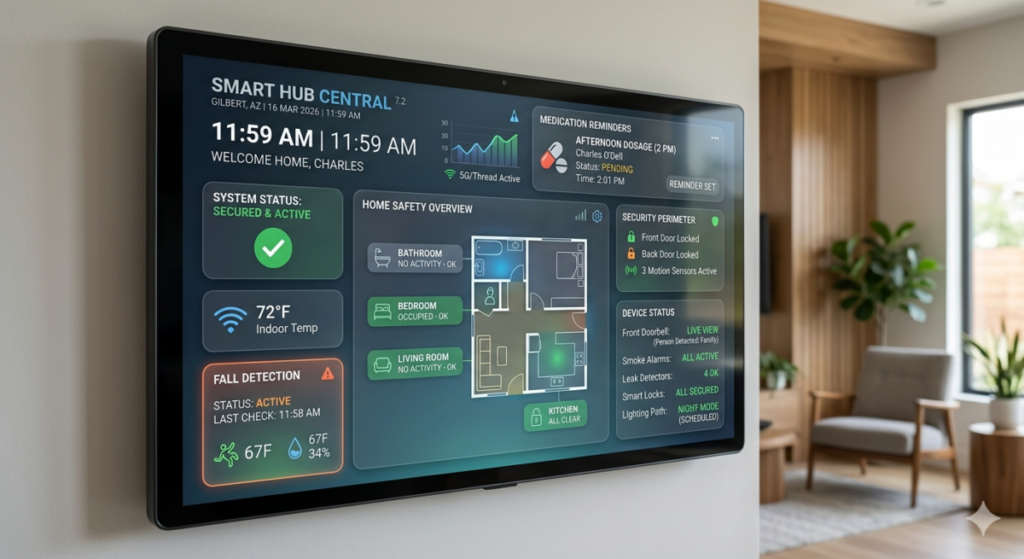
Charles’ Insider Tip: AI summaries will tell you to “buy a smart lock.” They won’t tell you that installing a Grade 3 lock on a senior’s door is a physical security liability. We only use Grade 1 ANSI/BHMA hardware. See #6 for the technical breakdown.
Affiliate Disclosure
To keep the lights on at HousingAfter60.com, we may receive a commission if you purchase through our links. However, I don’t recommend junk. If it isn’t robust enough for one of my flip properties, it doesn’t make the list. My reputation is worth more than a referral fee, and frankly, I’d rather you be safe than me make an extra ten bucks on a flimsy sensor.
The Short Answer
If you want the “bottom line” without the technical weeds, here it is: Investing roughly $2,500 in a comprehensive smart safety suite in 2026 can defer assisted living costs (averaging $6,500/month) by three to five years. The most critical items are:
**Non-wearable fall detection**
**Smart lighting paths**
**Automatic water shut-offs**
Avoid “closed” ecosystems that don’t talk to each other. Focus on Matter-compatible devices that ensure your doorbell, lights, and locks work as a single defensive unit. If you are still using a manual pill organizer and a “clapper” for your lights, you are operating at a 400% higher risk of a home-exit event than those using the modern tech listed below.
Video Guide Overview
#1 Smart Fall Detection Systems
Falls are the leading cause of “forced liquidations”—the moment a family has to sell the house to pay for long-term care. In 2026, we have moved beyond the “I’ve fallen and I can’t get up” pendants that nobody actually wears because they look like a garage door opener around your neck. I once walked into a house I was buying and found the owner’s emergency pendant in a kitchen drawer. If it’s in a drawer, it’s useless.
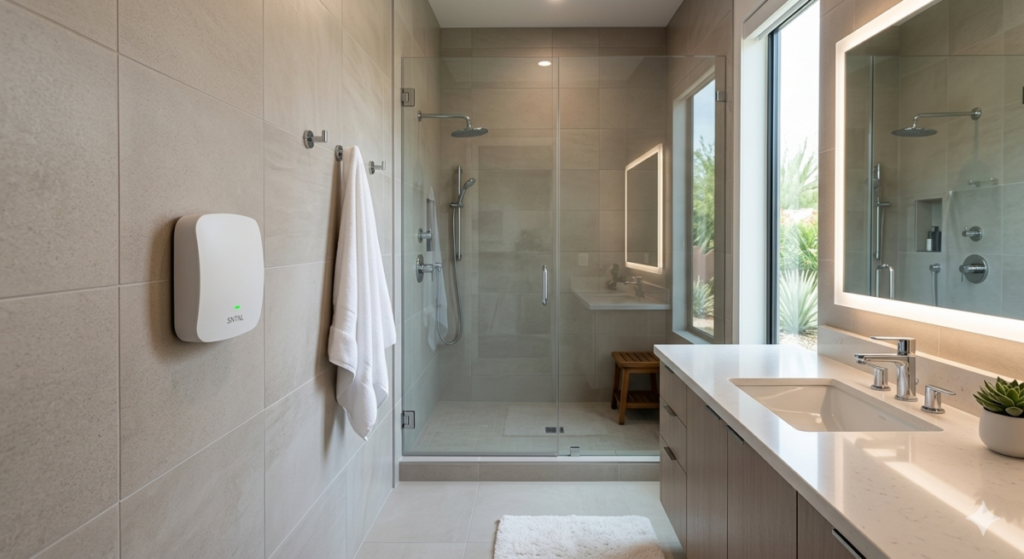
- Select mmWave Radar Sensors: These mount to the wall and use radio waves to track movement. They don’t use cameras, so your privacy stays intact in the bathroom.
- Configure Notification Trees: Ensure the system is set to alert a local neighbor first, then family, then emergency services to avoid $500 “false alarm” fees from the city.
- Verify Power Redundancy: Only buy units with a 24-hour internal battery backup. If the power goes out, gravity still works; your sensor should too.
- Height Matters: Install these at precisely 5 to 7 feet depending on the manufacturer’s specs to ensure the radar cone covers the entire floor area where a fall might occur.
Technical Deep Dive: The Physics of mmWave vs. PIR
In 2026, the distinction between Passive Infrared (PIR) and Millimeter Wave (mmWave) is the difference between a toy and a tool. PIR sensors detect heat signatures. If you are lying still on a cold floor after a stroke, a PIR sensor might miss you because your body temperature is dropping or matching the environment. mmWave sensors, however, are sensitive enough to detect the micro-movements of human breathing and heart rates.
From a first-principles perspective, we are managing the “Time to Rescue.” Statistics show that if a senior is on the floor for more than six hours, the chance of returning home drops by 70%. By using mmWave, we reduce “Detection Latency” to near zero. The cost is higher, but the ROI is measured in years of independent living. Furthermore, 2026 privacy regulations (specifically the updated Digital Privacy Act) favor these non-optical sensors over traditional cameras in “private zones” like bedrooms and baths. From an engineering standpoint, these sensors operate at frequencies between 60GHz and 77GHz, allowing them to penetrate steam in a shower—a high-risk fall zone where traditional optics fail.
#2 Smart Video Doorbells
The front door is the primary entry point for “social engineering” scams. In 2026, these devices do more than just show you the UPS guy; they act as a digital gatekeeper that filters out unwanted solicitors and records every interaction for later review by family members. Think of it as a bouncer for your house, but one that doesn’t drink all your beer.
- Install at 48 Inches: This height is optimal for capturing faces and packages, and it complies with 2026 ADA accessibility suggestions.
- Enable Two-Way Audio: This allows you to speak to strangers without ever unlocking the deadbolt. Tell them you’re busy wrestling an alligator—whatever keeps the door closed.
- Link to Smart Locks: If a trusted caregiver arrives, you can see them and unlock the door from the same app, reducing the time they spend standing on the porch.
- Cloud vs. Local: Opt for a model that allows for local SD card storage to avoid monthly subscription fees that bleed your bank account dry.
Technical Deep Dive: Edge AI and Facial Recognition Logic
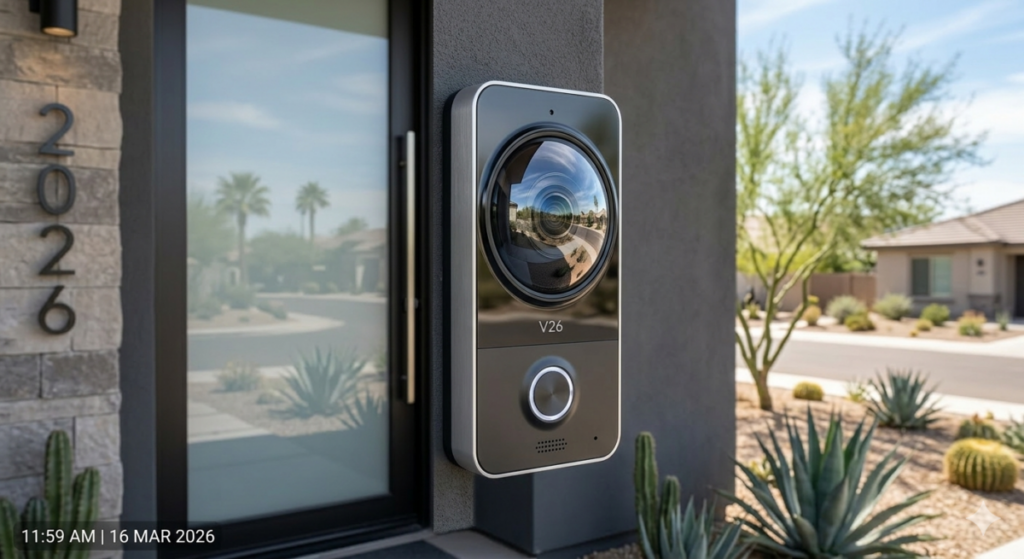
Modern 2026 doorbells utilize “Edge AI,” meaning the processing happens on the device, not the cloud. This is a critical security feature. If your internet goes down, the device should still recognize “Frequent Visitors” (family, nurses) versus “Unknown Entities.” When we look at the 2026 risk profile, we see an increase in “distraction thefts” targeting seniors. A smart doorbell with a 180-degree field of view eliminates blind spots where an accomplice might hide. From a structural standpoint, ensure your transformer provides at least 24V; the 16V transformers found in older homes will cause these high-draw AI devices to reboot constantly, creating a safety gap. This is a common failure point in 1960s-era split-levels. If your doorbell chimes sound weak or “stutter,” your voltage is dropping under load, and your “smart” doorbell is likely offline half the time. Check out our Electrical Upgrades Guide for more on this.
2026 Cost Transparency Table (Hardware vs. Labor)
| Safety Category | DIY / Basic Cost | Pro / Premium Cost | Est. Labor (2026) |
|---|---|---|---|
| Fall Detection (mmWave) | $180 | $650 | $150 – $300 |
| Smart Lighting Hub + 10 Bulbs | $220 | $1,200 | $400 – $800 |
| Automated Med Dispenser | $150 | $850 | N/A (Plug & Play) |
| Smart Lock + Keypad | $130 | $450 | $125 – $250 |
#3 Smart Smoke and Carbon Monoxide Detectors
Fire is a ruthless enemy of the elderly. Slower mobility means every second of early warning counts. In 2026, the “dumb” smoke detector that just beeps is a relic. If you have any level of high-frequency hearing loss, you might not even hear it until the hallway is full of smoke. I’ve seen enough fire-damaged properties to know that “cheap” detectors are a gamble you will eventually lose.
- Interconnect All Units: If the toaster smokes in the kitchen, the alarm in the bedroom must go off. No “silent zones” allowed.
- Voice Alerts: Research shows people wake up faster to a human voice saying “FIRE” than a siren. It’s harder to ignore a voice telling you what to do.
- Mobile Integration: If you are out at lunch, your phone should tell you the house is at risk so you can call 911 immediately.
- Pathlight Integration: Some 2026 models have built-in LEDs that light up the floor during an alarm to help you see through smoke.
Technical Deep Dive: The 2026 IRC Section R314 Compliance
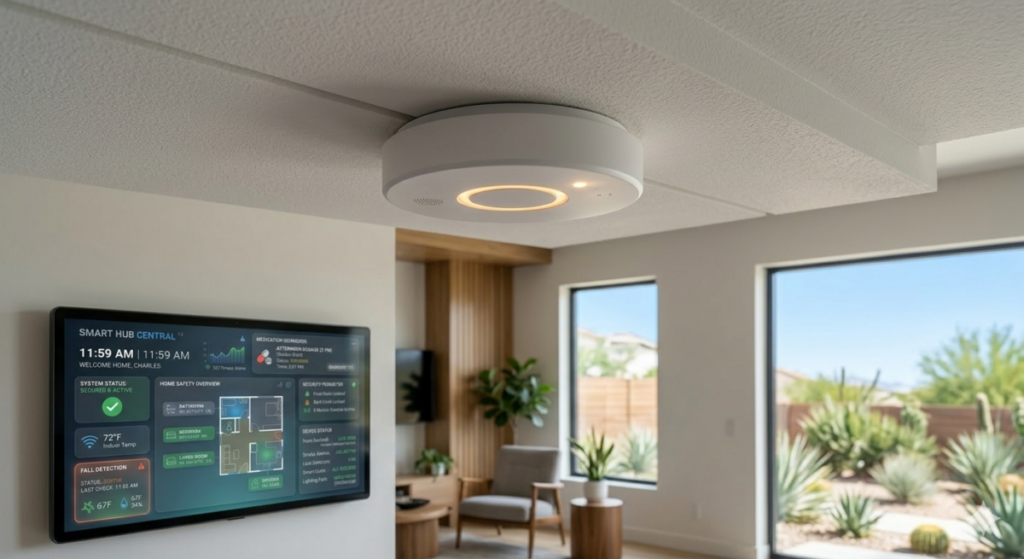
When I flip a house, I have to follow the International Residential Code (IRC). By 2026, many local jurisdictions require smoke alarms to be “hardwired with battery backup” and “perpetually interconnected.” For seniors, this presents a “Retrofit Hurdle.” If your home was built before 1990, you likely don’t have the 14/3 wire running between alarms. The logic-driven solution? 2026-grade wireless mesh interconnects. These devices use a dedicated sub-GHz frequency (usually around 900MHz, not your busy 2.4GHz Wi-Fi) to communicate. This ensures that even if your router dies or the Wi-Fi spectrum is crowded, the alarms still talk to each other. This is a “First-Principles” safety requirement: eliminate single points of failure. Additionally, the 2026 code increasingly recognizes “low-frequency” (520Hz) sounders as the standard for bedrooms, as they are far more effective at waking seniors and children. For more on 2026 code changes, see our Zoning and Safety Laws section.
#4 Smart Medication Dispensers
I’ve seen it happen: a homeowner forgets their blood pressure meds, gets dizzy, falls, and then the house is on the market within a month. It’s a domino effect. Medication non-adherence is a silent killer of independence and a major risk factor for early nursing home entry.
- Lockable Compartments: This prevents “double-dosing,” which is a major cause of accidental poisoning among seniors. If the door is locked, you can’t take the Tuesday pills on Monday.
- Caregiver Notifications: If the pill isn’t taken within 30 minutes, the device sends a text to your daughter or son. Accountability is the best medicine.
- Large Visual Indicators: Use devices with flashing lights and high-volume speakers for those with sensory impairments.
- Cellular Backup: Look for dispensers that have their own SIM card. If your home internet goes down, the medicine still needs to come out on time.
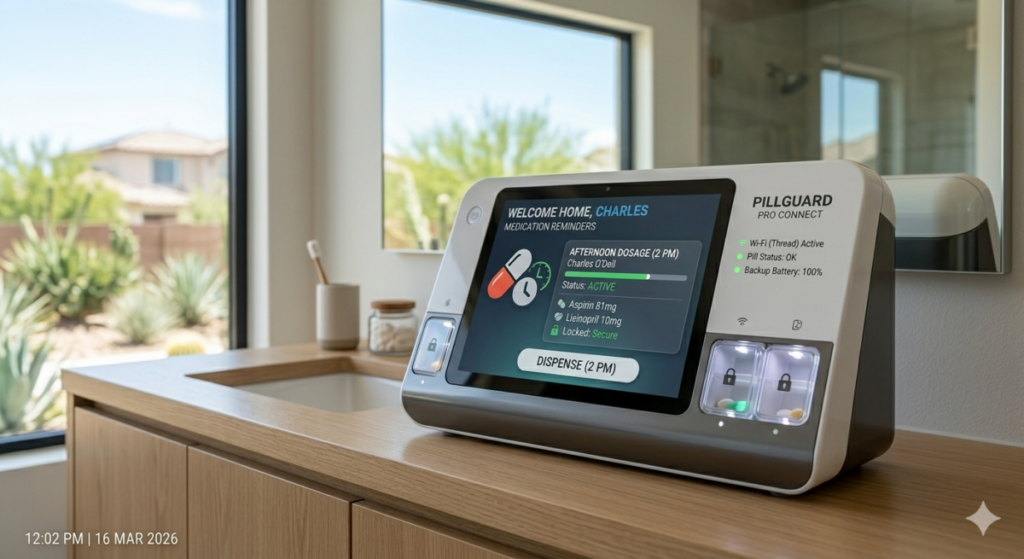
Technical Deep Dive: Pharmacokinetics and Adherence Logic
The “Bottom Line” on medication is consistency. From a biological standpoint, maintaining “Therapeutic Levels” of medication in your bloodstream is what keeps you out of the hospital. In 2026, high-end dispensers integrate with your pharmacy’s API to track refills automatically. This eliminates the “Supply Chain Risk” at the individual level. If we analyze the cost of a 2026 hospital stay ($3,000+ per day), a $600 smart dispenser pays for itself if it prevents just one six-hour observation visit. It’s a binary choice: pay for the dispenser now or pay for the ambulance later. From a data perspective, these machines can generate “adherence reports” that you can show your doctor during a telehealth visit, allowing for more precise dosage adjustments based on actual consumption rather than “I think I took it” guesswork.
Affiliate Product Comparison Table (2026 Top Picks)
| Product Name | Key Safety Feature | 2026 Price |
|---|---|---|
| Sentinal mmWave Radar 4.0 | No-camera fall detection with vitals monitoring. | $349 |
| PillGuard Pro Connect | Cellular-backed med alerts (No Wi-Fi needed). | $499 |
| LumenPath Motion Kit | Adaptive floor-level lighting for night paths. | $189 |
#5 Smart Lighting and Motion Sensors
If you have to get up at 2:00 AM to use the bathroom, you are in the “Danger Zone.” Navigating a dark room while half-asleep is how hips get broken and real estate portfolios get liquidated to pay for rehab. Lighting should be automatic, not manual. If you have to reach for a lamp, you’re doing it wrong.
- Install Motion-Activated Toe-Kick Lighting: This illuminates the floor without blinding you with overhead glare. It’s like a runway for your bathroom trips.
- Sync with Fall Sensors: If a fall is detected, all lights should turn on to 100% to assist first responders in finding you and navigating the house.
- Smart Switches, Not Bulbs: It is easier to replace a switch than 10 bulbs. Plus, a guest can’t “accidentally” turn off the system at the wall, leaving you in the dark later.
- Sunrise Simulations: Use smart bulbs in the bedroom to slowly brighten in the morning, which helps regulate your internal clock and reduces “morning fog” that leads to stumbles.
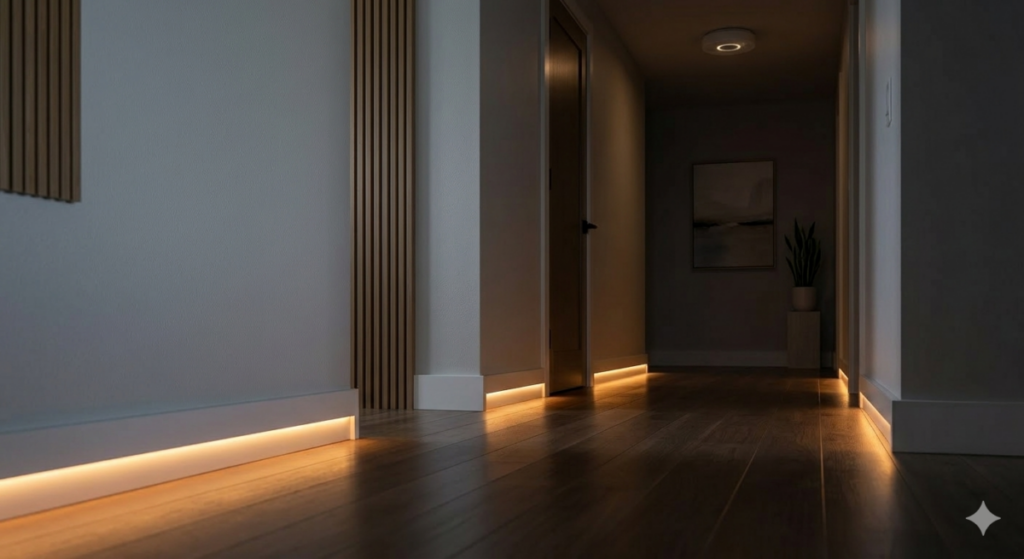
Technical Deep Dive: Circadian Rhythm and Blue Light Mitigation
In 2026, we understand that “Light Temperature” affects senior safety far more than we once thought. Bright blue light at 3:00 AM suppresses melatonin and causes immediate cognitive confusion. Our recommended 2026 systems use “Adaptive Lighting” protocols. Between 10:00 PM and 6:00 AM, the motion-activated lights should be set to a warm 2000K amber glow at 20% intensity. This provides enough “Luminous Flux” to navigate safely without causing “Photic Wakefulness” (the state of being wide awake because your brain thinks it’s daytime). From an engineering perspective, ensure your smart switches are “No-Neutral” compatible if you are in a house built before 1980; otherwise, you’ll be paying an electrician $200 per hour to pull new wires through your lath-and-plaster walls. Also, ensure the “Inrush Current” of your LED bulbs doesn’t exceed the switch rating—a common reason smart switches fail prematurely in older homes with outdated ballasts.
#6 Smart Locks and Keyless Entry
Keys are a liability. They get lost, they are hard to turn with arthritis, and they can’t be “shared” easily with an emergency plumber at 11 PM. In 2026, the physical key is your backup, not your primary entry method. If you’re still fumbling with a keyring in the dark, you’re an easy target.
- Use Biometric or Keypad Entry: A fingerprint or a simple 4-digit code is much safer and faster than a key. Plus, you can’t “lose” your finger. Well, let’s hope not.
- Auto-Locking Logic: Set the door to lock automatically after 60 seconds. Forgetfulness shouldn’t be a security risk. If you walk away, the house secures itself.
- Temporary Guest Codes: Give the cleaning lady or the nurse their own code that only works during their scheduled hours. No more hiding keys under the fake plastic rock.
- Remote Unlocking: If you’re in the back garden and a family member arrives, you can unlock the front door from your phone without trekking through the house.
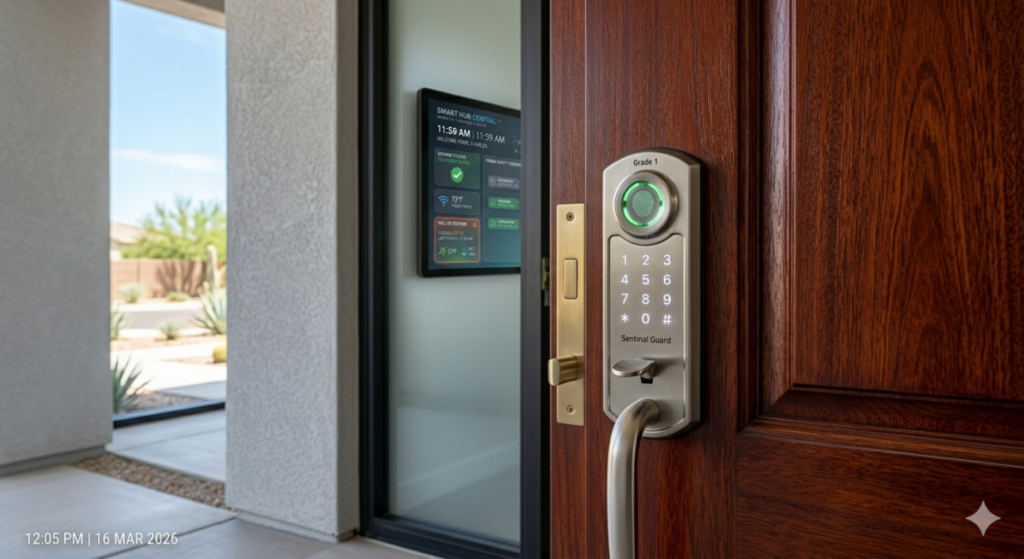
Technical Deep Dive: The ANSI/BHMA Grade 1 Standard
Don’t buy a “smart” lock that is built like a toy. As a real estate investor, I only use Grade 1 deadbolts. Grade 1 is the highest level of residential security, tested to withstand significant “Kick-In” force and 250,000 cycles. In 2026, many flashy smart locks are Grade 3 (the lowest). You are trading physical security for digital convenience—a bad trade. Always verify the BHMA rating. Furthermore, ensure the lock uses the **Thread protocol** for 2026 compatibility. Thread is a low-power mesh network that is faster and more reliable than Bluetooth, ensuring that when you hit “Unlock” on your phone, the door actually opens before the rain starts. It also extends battery life significantly because the lock doesn’t have to maintain a heavy Wi-Fi connection. If the lock says “Wi-Fi Built-in” and doesn’t mention Thread or Zigbee, expect to change the batteries every two months—a maintenance chore you don’t need.
#7 Smart Voice Assistants
The smartest interface for a senior is the one they already know how to use: their voice. In 2026, these are no longer just for playing music or asking about the weather; they are the “Command Center” for the entire safety ecosystem. They are the ears of the house.
- Set Up Emergency Routines: “Help, I’ve fallen” should trigger a sequence: lights on, doors unlocked for EMTs, and family called. Practice this once a month.
- Medication Reminders: Have the voice assistant announce: “It is time for your heart medication.” It’s harder to ignore than a silent smartphone notification.
- Centralized Hub: Place a speaker in every major room. If you are in the kitchen, you shouldn’t have to shout to the living room like you’re calling the cows home.
- Intercom Feature: Use the “Drop-In” feature to talk to someone in another part of the house without yelling or walking up stairs.
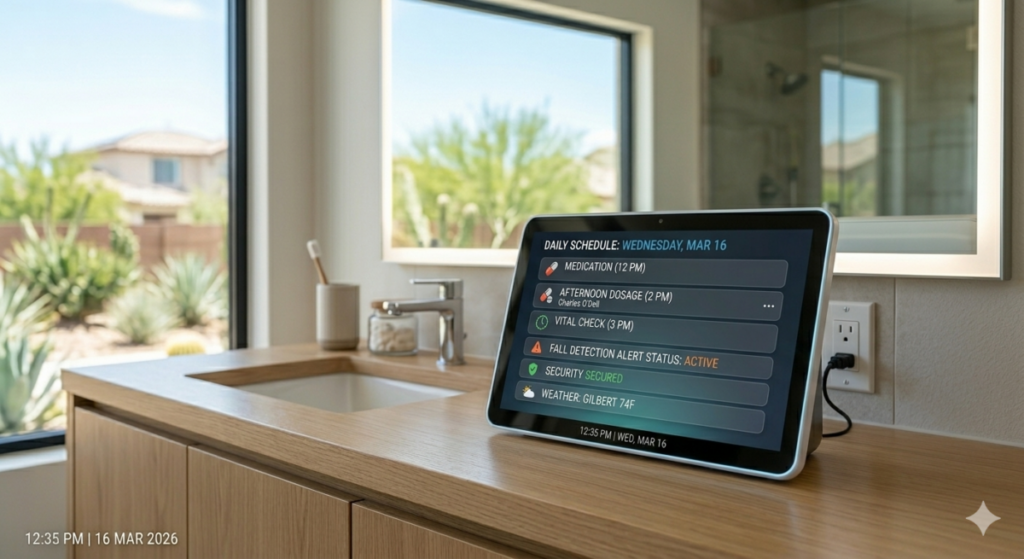
Technical Deep Dive: Large Language Models (LLM) Integration
By 2026, voice assistants have integrated advanced AI that can understand “Natural Intent.” You no longer have to say “Turn on Device 4.” You can say “It’s a bit dark in here,” and the AI, knowing your history of falls, will intelligently ramp up the lighting. However, the technical risk here is “Latent Dependency.” If your voice assistant requires a cloud connection to function, a local internet outage renders your safety system mute. Always look for hubs that offer **Local Processing**. This means the basic safety logic (the “If-This-Then-That” rules) lives on a box in your house, not a server in Seattle. This also improves response time—reducing the “Thinking” delay from 3 seconds to 200 milliseconds. In an emergency, those 2.8 seconds matter. Additionally, verify that the device supports **Matter 2.0**, which in 2026 includes advanced “Robot and Sensor” schemas specifically for health monitoring.
#8 Smart Security Cameras
Security cameras in 2026 are about “Context.” They aren’t just for catching porch pirates; they are for allowing family to “check in” without being intrusive. I use them on my flip sites to make sure the contractors aren’t napping, and you should use them to ensure your perimeter is secure.
- Focus on Exterior Perimeters: Monitor the driveway and the backyard to ensure no one is “casing” the property. Use cameras with high-lumen floodlights built-in.
- Use Two-Way Audio: If you see a suspicious person, you can tell them to leave without opening the door. A loud “I see you” is a great deterrent.
- Privacy Shutters: For indoor cameras, use models with physical shutters that close when you are home to maintain a sense of privacy. You don’t need the world watching you eat cereal.
- AI Boundary Zones: Set the camera to only alert you if someone crosses a specific line on your porch, ignoring the neighbor’s cat or cars driving by.
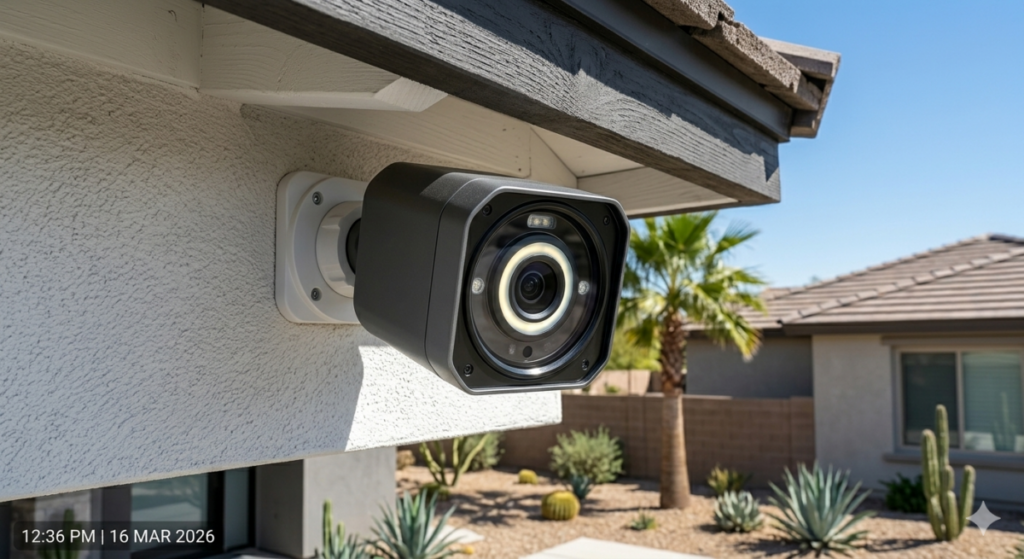
Technical Deep Dive: Bitrate and Storage Optimization
Most seniors don’t have “Enterprise Grade” upload speeds, especially in rural areas or older neighborhoods. In 2026, 4K cameras can choke a standard home network, causing your Netflix to buffer and your safety alerts to lag. The technical solution is H.265 (HEVC) compression. This allows for high-definition video at half the bandwidth of older cameras. Additionally, as an investor, I prioritize “Local SD Storage” over “Cloud Subscriptions.” A $20 SD card saves you $120/year in cloud fees. Over 10 years, that’s $1,200—the cost of a nice new water heater. We call that “Passive Equity.” Furthermore, ensure your cameras support **Power over Ethernet (PoE)** if possible. While Wi-Fi is convenient, a wired connection is immune to “Signal Jammers,” which have unfortunately become common tools for tech-savvy burglars in 2026. See our Home Maintenance Guide for more tips on long-term savings.
#9 Smart Water Leak Detectors
Water damage is the #1 reason for “Hidden Structural Decay” in senior-owned homes. If a pipe leaks under the sink and you can’t get down on your knees to see it, the mold will eventually make the house uninhabitable. I’ve had to gut houses because of a $5 gasket that failed six months before I bought the place.
- Place Under Every “Wet” Appliance: Dishwashers, washing machines, and water heaters are the usual suspects. Put one behind every toilet too.
- Install an Automatic Shut-Off Valve: If a leak is detected, the motor closes the main water line instantly. It stops the flood before it starts.
- Battery Life: Choose sensors with a 5-year battery life to minimize maintenance. You don’t want to be crawling under sinks every six months to change batteries.
- Temperature Alerts: Many 2026 sensors also detect freezing temperatures, letting you know to drip the faucets before the pipes burst in a winter storm.
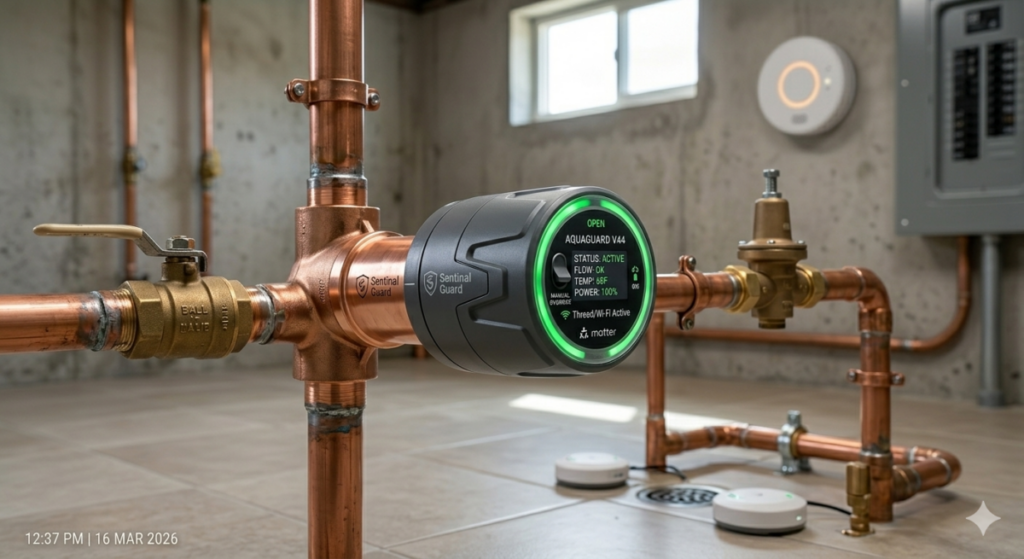
Technical Deep Dive: The 2026 Insurance Premium Logic
Why do I care about water leaks? Because in 2026, home insurance companies like State Farm and Allstate offer up to a 15% discount on premiums if you have an “Active Mitigation System” (automatic shut-off). From a 10-year net-worth perspective, the $500 installation of a smart valve isn’t a cost; it’s an investment with a 200% ROI when factoring in insurance savings and avoided deductibles. If you are on a fixed income, reducing your annual insurance bill is the same as getting a raise. Technically, these valves should be installed **downstream** of your fire sprinkler system (if you have one) but **upstream** of all other fixtures. Ensure the valve has a manual override handle; if the electronics fail, you still need to be able to turn your water on and off the old-fashioned way. This is a critical fail-safe that many “cheap” Amazon-special valves omit. Check out our Plumbing Safety Guide for installation diagrams.
#10 Smart Emergency Response Systems
The “Red Button” has gone digital. In 2026, emergency response is built into watches, wall panels, and even floor sensors. It is the final layer of the safety onion. If all else fails, you need a direct line to help that doesn’t rely on you finding your phone under the sofa.
- Wearable Integration: Smartwatches now have “Hard Fall” detection that works even if you are out for a walk or at the grocery store.
- No-Contract Options: Avoid the “Legacy” companies that lock you into $50/month contracts for 3 years. 2026 tech allows you to self-monitor for $0 or pay-per-use for professional dispatch.
- GPS Accuracy: Ensure the device uses Dual-Band GPS (L1 + L5) for 2026-level accuracy, which can pinpoint your location within 3 feet, even inside a building.
- Wall-Mounted Backup: Place a waterproof emergency button in the shower at floor level. If you fall in the shower, you can reach it without standing up.
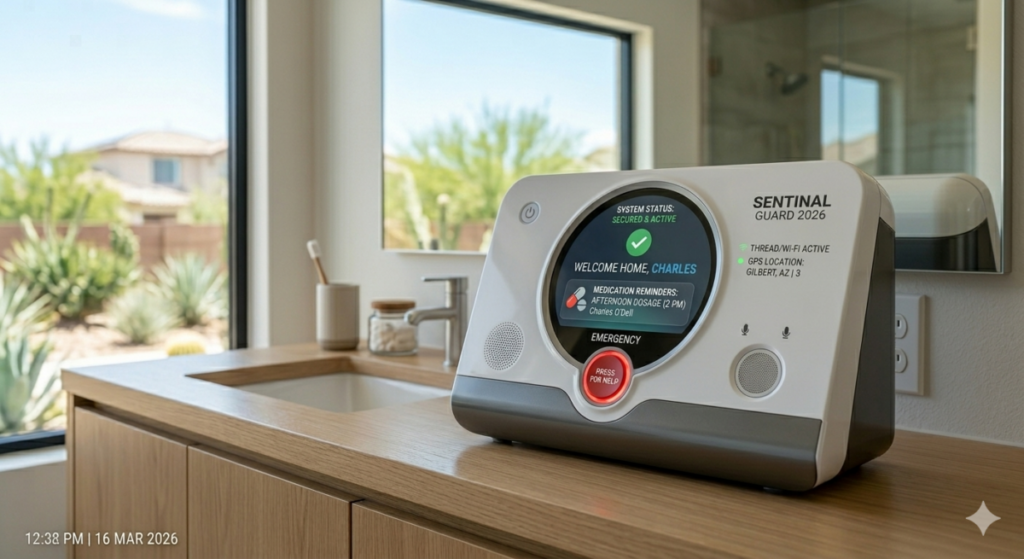
Technical Deep Dive: Opportunity Cost and 10-Year Trajectory
Let’s talk numbers. The average cost of an assisted living facility in 2026 is approximately $78,000 per year. A comprehensive smart safety system costs around $4,000 to install professionally. If this system allows you to stay in your home for just **one extra month**, it has paid for itself twice over. If it keeps you home for five years, you have saved nearly $400,000 in facility fees. That is money that stays in your estate, goes to your heirs, or funds your travels. From a first-principles perspective, smart tech is the most effective “wealth preservation” tool available to homeowners over 60. We are leveraging a small capital expenditure (CapEx) to eliminate a massive recurring operating expense (OpEx). It’s the same logic I use when deciding whether to replace a roof or patch it—always look at the 10-year horizon.
How Much Does a Senior Smart Safety Setup Cost in 2026?
Let’s look at three scenarios based on my 23 years of evaluating property upgrades. Prices include 2026 hardware and average professional installation rates. Don’t let a “chuck in a truck” overcharge you; use these as your benchmarks.
The “Budget Guard” Setup ($450 – $750)
This is for the senior who is still quite mobile but wants to mitigate the “Big Three” risks: fire, falls, and intruders. It includes a Video Doorbell, two Smart Smoke Alarms, and a basic Voice Assistant. This setup is mostly DIY-friendly, saving you $300 in labor. It’s the “Starter Kit” for independence.
The “Mid-Range Independence” Setup ($1,200 – $2,500)
This is my “Investor’s Choice.” It adds a Smart Lock, five motion-activated path lights, and two mmWave fall sensors in high-risk zones (bathroom/kitchen). This requires a “Smart Handyman” for about 4 hours of labor ($400). This setup addresses 90% of the safety issues I see in senior homes and offers the best “Safety-per-Dollar” ratio.
The “Total Fortress” Setup ($3,500 – $6,000+)
This is a full-scale renovation of the home’s “Safety IQ.” It includes an automatic water shut-off, a hardwired smart lighting system, professional-grade outdoor cameras, and a 24/7 monitored medical alert hub with cellular backup. This requires a licensed electrician and a low-voltage specialist. While expensive, it is still cheaper than **one month** in a premium assisted living facility. It is the gold standard for aging in place.
Actionable Checklist: Securing Your Home in 2026
- Audit the Wi-Fi: Is your router more than 3 years old? In 2026, you need Wi-Fi 7 to handle the device load. Replace it first or your “smart” home will be a “dumb” one.
- Check the Electrical Panel: Does your panel have “AFCI” (Arc Fault Circuit Interrupter) breakers? These prevent electrical fires from old wiring. If not, budget $1,500 for an upgrade.
- Identify High-Risk Zones: Walk through the house. Where do you trip? Where is it dark? Where do you spend 80% of your time? Prioritize those spots for sensors.
- App Point-Person: Assign one tech-savvy family member as the “Technical Lead.” They should have the master password and manage firmware updates so you don’t have to.
- Matter Compatibility: Only buy devices with the “Matter” logo. This ensures that a Google doorbell can talk to an Apple light switch without a digital argument.
- Test Monthly: Every 30 days, trigger a sensor to ensure the notification tree is still working. Don’t wait for a real fall to find out the battery is dead.
Internal Resources
For more data-driven advice on managing your home after 60, check out these deep dives:
- 2026 Contractor Fraud Risks: Labor Price Tables and Vetting Logic
- Assisted Living is a $375,000 Wealth Trap: How a $25k Remodel Rescues Your Estate
- Risk Warning 2026: Why Most Homeowner Contractor Lawsuits Fail (Cost Tables Inside)
Summary
In 2026, the “Smart Home” isn’t a luxury for tech geeks; it’s a defensive barrier for seniors. By spending a few thousand dollars on the right sensors, locks, and lights, you aren’t just buying gadgets—you are buying time. You are protecting your equity and your dignity. Don’t wait for a “trigger event” (a fall or a fire) to start this process. By then, the decision about where you live will be made by a doctor or a judge, not you. Take control of the hardware now. Be the landlord of your own life, not a tenant in a facility.
Bio: Charles O’Dell
Charles O’Dell is the owner of HousingAfter60.com and a veteran real estate investor with 23+ years of experience. Having flipped over 100 properties, he specializes in identifying structural and technological solutions that allow seniors to maintain their independence and home equity. He focuses on first-principles logic, technical accuracy, and the hard financial realities of the 2026 housing market. When he isn’t analyzing cap rates or building codes, he is helping homeowners navigate the transition from “family home” to “senior sanctuary.” He believes that a well-timed $500 sensor is worth more than a $50,000 inheritance.
Written by Charles O’Dell: 23 years of real estate, 100+ flips, and a specialist in 60+ demographic housing.